Custom Company Logo
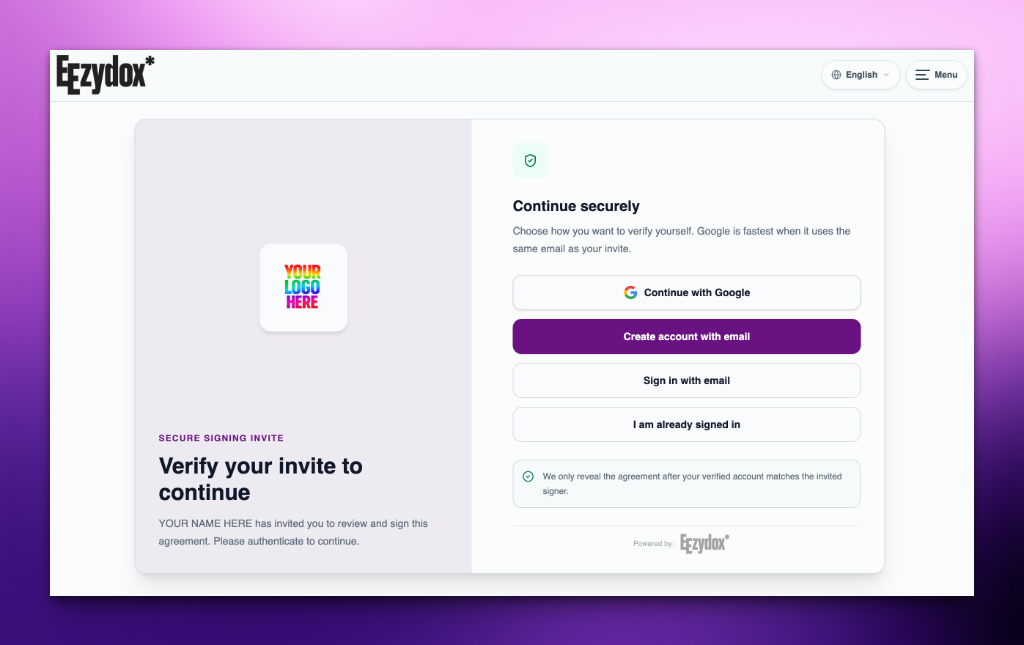
Upload your company logo. We automatically optimize and display it centered on the acceptance page and in the header.

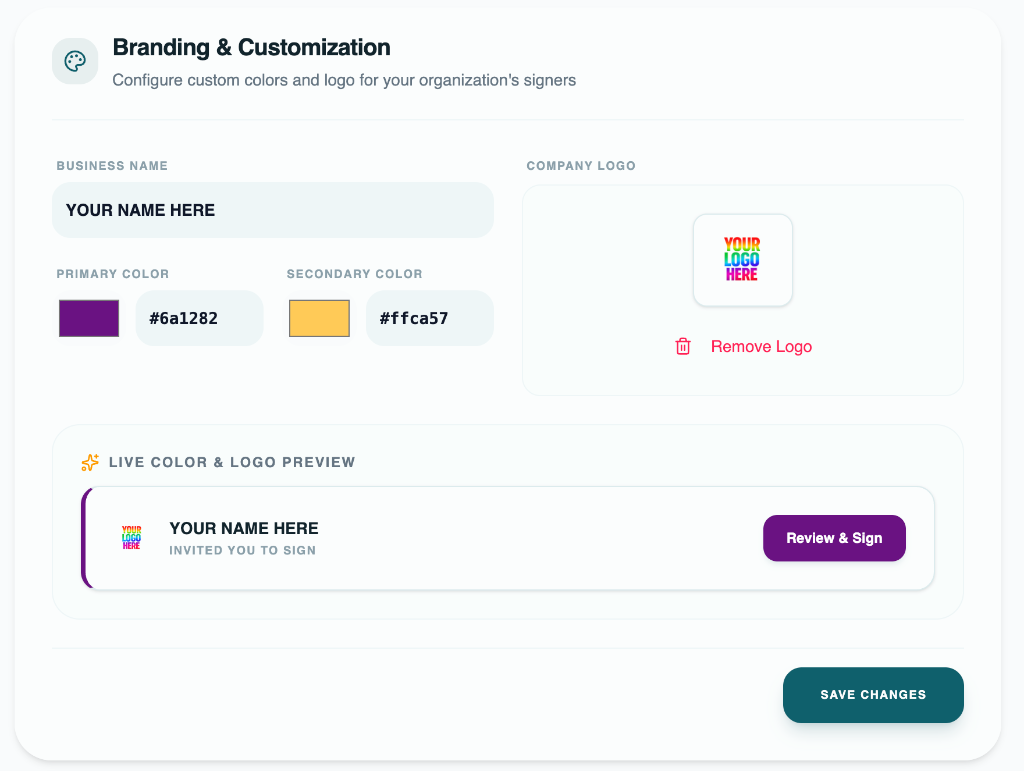
Establish immediate signer trust by customizing colors, logos, and business names. We make sure every invited signer experiences a cohesive, premium brand flow.
Branding workflow signal
Upload Limit
Up to 5MB
Style Setup
Live Preview
Branding advantages
Customizing the signing interface keeps signers within a secure, branded environment, preventing confusion and drop-offs.
Upload your company logo. We automatically optimize and display it centered on the acceptance page and in the header.
Choose your exact HSL brand colors. We dynamically calculate optimal text and button contrast for accessibility compliance.
Maintain platform credibility. Your logo remains the primary brand, while a subtle footnote shows 'Powered by EEZYDOX'.
Branding flow
Our branding uploader allows teams to completely customize signer interfaces in seconds.
Input your company name and choose your custom HSL hex colors in the branding settings card.
Select your official logo file. We support JPG, PNG, and SVG formats up to 5MB.
View live changes instantly inside the settings block before applying them to future client agreements.
All future invite links will automatically load your colors, logo, and business name.
Signers are often hesitant to complete agreement tasks when redirected to a generic, third-party software website. A personalized landing page with a company logo and matching color scheme establishes immediate trust and recognition.
By presenting a customized, white-labeled accepting flow, you lower security concerns, make signing simple, and enhance your business's professional image.
Branding FAQ
Any member with administrator or owner privileges can access and update custom branding in the settings panel.
We automatically calculate the relative luminance of your custom primary color to determine whether to render white or dark text on buttons.
Yes. You can upload a new logo or delete the existing one to return to the default fallback icon at any time.
More EEZYDOX capabilities